
Sessions & switching
alt s opens a session switcher — a bordered popup the client draws itself
(no external picker, no dependency) — without ever detaching to your shell:
type to filter, arrows or ctrl+p/ctrl+k and ctrl+n/ctrl+j to move,
Enter to act on whatever’s highlighted, Esc to cancel and stay where you were.
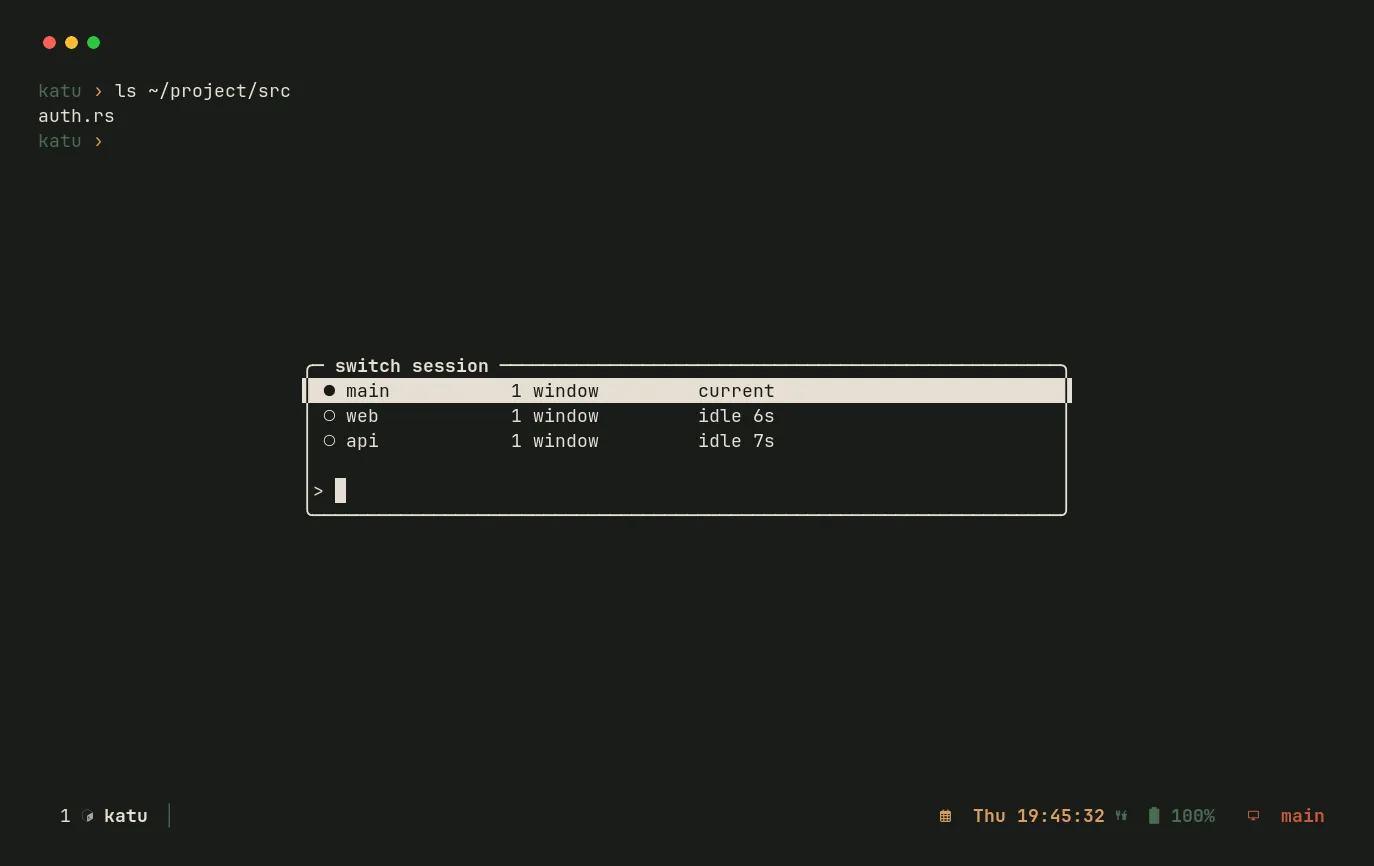
The session you’re switching from always shows a filled ●. “Create a new
session” only ever appears as its own explicit row below any matches — typing
an existing session’s name never risks silently duplicating it.
This is also how katu start <name> / katu join <name> behave when you’re
already inside a session — attaching directly isn’t possible from a nested
shell, so the error message points you at alt s instead.