
AI agents
Every session gets a private context file:
$ katu join api$ echo "$KATU_AI_CONTEXT"/home/you/.katu/ai-contexts/api.jsonExternal AI CLIs read and write that file; switching sessions switches the file. To hand your assistant the current terminal output:
katu capture | claude "explain this database lock error"Managing agents
Section titled “Managing agents”katu ai # floating AI popup, or a dedicated ai-<dir> sessionkatu agents # list agents: status, name, age, locationkatu agents --pick # fzf picker; enter jumps to the agent's panealt a toggles the AI popup — a floating pane over your work, tmux
display-popup style. alt u opens the native agent picker with a live
output preview, and alt p gives you a scratch-shell popup.
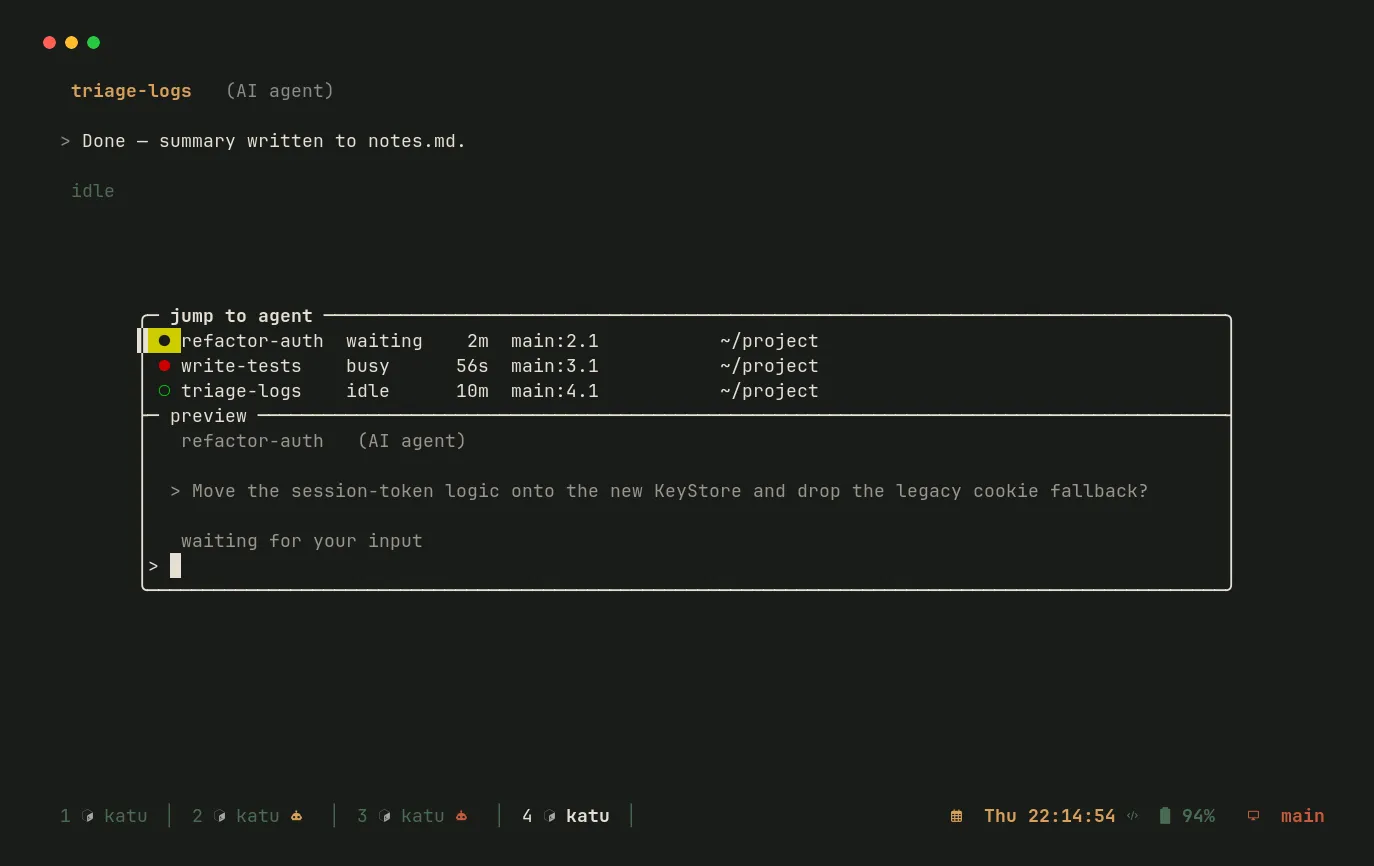
The status line marks any window hosting an agent with a robot icon colored by
state — yellow waiting for your input, red busy, green idle — so a
glance at the bar tells you which agent needs attention. When an agent starts
waiting, Katu also fires an OSC 9 terminal notification ([ai] notify).
Scrolling an agent
Section titled “Scrolling an agent”Full-screen agents like Claude Code run on the alternate screen and scroll
their own transcript on the mouse wheel, so copy mode has nothing to browse.
alt < / alt > scroll the focused pane by sending it wheel events — so
you can page back through the conversation in the AI popup even without a mouse.